
Command An Army events
Every tracked official event with its window in UTC. Live and upcoming events are listed first; finished windows stay archived so their pages remain reachable.
 Live now2026-10-31 to 2026-11-07
HALLOWEEN EVENT
The Halloween Event is open in Command An Army from October 31 to November 7, 2026. A HALLOWEEN code worth 2,500 Gems appeared on the opening day, while the event's own unit and reward tables are still unpublished; this guide covers the window, the code and what is still unknown.
 Upcoming2026-11-07 to 2026-11-14
Next Update!
The feed's current placeholder is titled Next Update! and runs from November 7 to November 14, 2026, opening the minute the Halloween Event closes. No unit, class, cosmetic or reward details have been published for it yet, so this page tracks the window and states plainly what is still unknown.
 ended2026-10-17 to 2026-10-24
ARCHER CLASS
Archer Class ran from October 17 to October 24, 2026. The official listing introduced a new Archer Class; this page is the record of that window now that it has closed.
 ended2026-10-03 to 2026-10-10
Mongols
Mongol Units ran from October 3 to October 10, 2026 and added the Mongol line. The window moved once before launch, and both ranges are recorded on this page.
 ended2026-09-19 to 2026-09-26
UPDATE 2
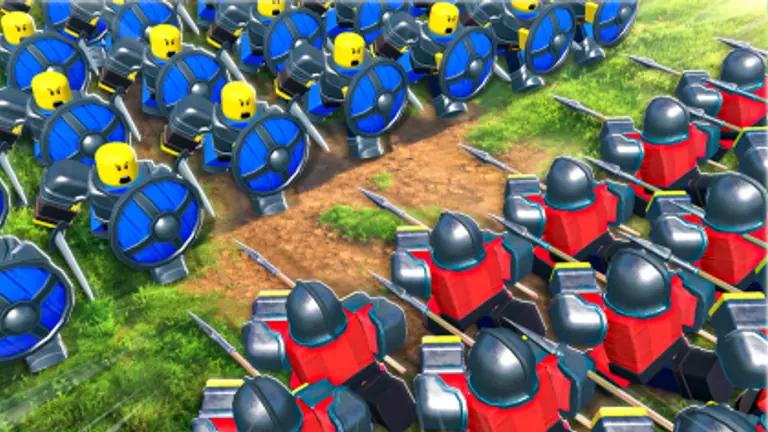
Update 2 ran from September 19 to 26, 2026 and is the release that added Guilds and Ranked play. The window is closed; this page keeps the official record and what was verified while it ran.
Why the windows touch
The two most recent windows meet exactly, with one ending on the day the next begins. That is not a coincidence and it does not mean content is being deleted: it is how the feed is maintained. When the developer schedules an update, the previous event is closed at the new start time, so consecutive entries butt against one another. Reading a gap where there is none, or assuming an event was cancelled because its window looks short, are both easy mistakes to make from a screenshot of this page.
This page is regenerated from the official feed by a script, so the dates here are not typed by hand and cannot drift out of sync with the source. When a new window appears upstream it appears here on the next build, along with an automatically created page so that the entry has somewhere to point. That is also why a brand-new event can look sparse for a few hours: the official description is one line at the moment of announcement, and this site does not pad it with guesses while it waits for the rest.
How the official feed works
Roblox runs a per-universe events endpoint, and this game's developers use it properly. Every window listed here was read from that endpoint rather than copied from a creator video, which is why the next update was on this page before anyone had played it. Each event carries a title, a one or two line description and a pair of UTC timestamps, and nothing else - no patch notes, no feature list beyond what the developer typed.
That limitation is also the strength. A developer-typed line is not a marketing summary written after the fact, so it tends to name the headline feature and stop there. When Update 2 says Guilds and Ranked, those are the two systems that shipped. When the next window says Mongol Units, that is the theme, and no amount of speculation changes it.
Reading a window correctly
An event window is not a release date, a season length or a guarantee. The start timestamp is when the developer says the update begins, and the end timestamp is when they expect the next one. Two consecutive windows meeting with no gap does not mean the content disappears in between; it means the feed was updated in one pass.
Times are UTC. If you are working out whether you still have time to finish something, convert to your own timezone before deciding rather than assuming a window closes at midnight local time. And treat a window as a planning aid, not a promise: this game has already shipped a balance patch between two scheduled events without any window of its own.
What each event page gives you
When a new window appears in the feed it gets its own page, and every one of those pages is built from the same four blocks, so the same questions are answered the same way whether you land on the Guilds and Ranked release or the Mongol one. First comes the official window itself. Then the feature list exactly as the developer typed it, which for Update 2 is only two items long: Guilds and Ranked. Third, a split between what the official endpoints prove and what creators reported from playing, printed side by side instead of averaged into one verdict. Fourth, the preparation steps tied to that specific theme, because the useful advice before a Mongol window is not the useful advice before a ranked season.
Those four blocks are also why a brand-new event can look lean on the day it is listed: the official description is one line at announcement time, and this site explains that line rather than filling the page with guesses about what it might contain. A window is a schedule, and the page only grows into a guide once the developer publishes something to guide you with.
Common questions
- Which windows can I still take part in?
- Only the ones whose end timestamp sits in the future. A window that has closed is kept for reference, so a code, a reward or a balance change tied to a past update stays checkable long after the event itself is over.
- Can a published window change?
- Yes. The current Mongol window was first returned as 2026-09-26 to 2026-10-03 and then as 2026-10-03 to 2026-10-10 when the same feed was read again on 2026-09-22. The earlier range is recorded on the event page rather than overwritten, so a date you saw last week can be checked against what the feed says now.
- Do finished events stay online?
- They do. Finished windows move down the list rather than off it, and their pages remain reachable from this index. That keeps the archive self-consistent: an update that is mentioned on another page still has a page to point at after its window closes.